
Portfolio
Project, program and portfolio: what is the difference and when to use each

Project, program and portfolio are used as synonyms in many companies, and the confusion has a cost. When everything is a project, leadership cannot see the whole. When everything is a portfolio, nobody knows who answers for delivery. The three levels answer different questions.
The definitions
| Level | What it is | Question it answers | Example |
|---|---|---|---|
| Project | A temporary effort with defined scope, schedule and budget | Are we delivering what was agreed? | Roll out the new ERP at the São Paulo site |
| Program | A group of related projects managed together for a common outcome | Will the projects together produce the expected benefit? | Digital transformation of customer service, with a portal, CRM and training |
| Portfolio | A set of projects and programs chosen to deliver the strategy | Are we investing in the right initiatives? | This year's IT portfolio, with budget and priorities |
When to create a program
Not every group of projects is a program. It is worth creating one when the projects depend on each other and the benefit only shows up when they all finish. If the projects are independent and just belong to the same department, grouping them in the portfolio is enough.
Who looks after each level
- Project manager: the project's schedule, cost, scope and team.
- Program manager: dependencies between projects, shared risks and the benefit of the whole.
- Portfolio committee and PMO: priorities, budget and balance across initiatives.
How it works in OnePlanner
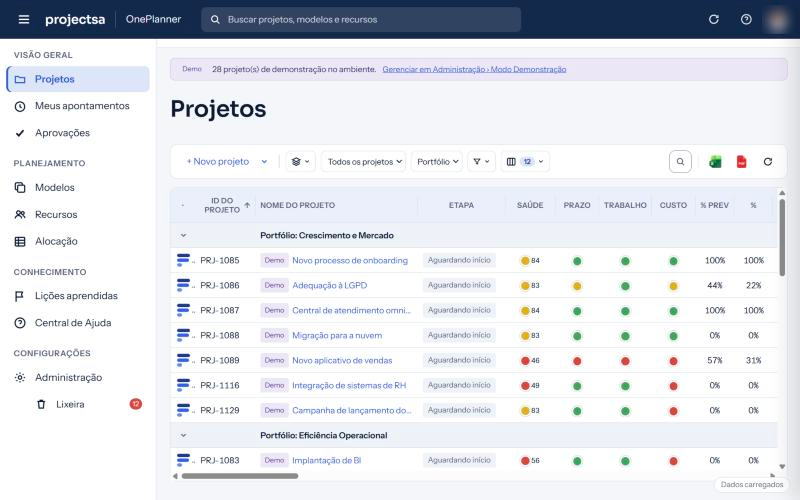
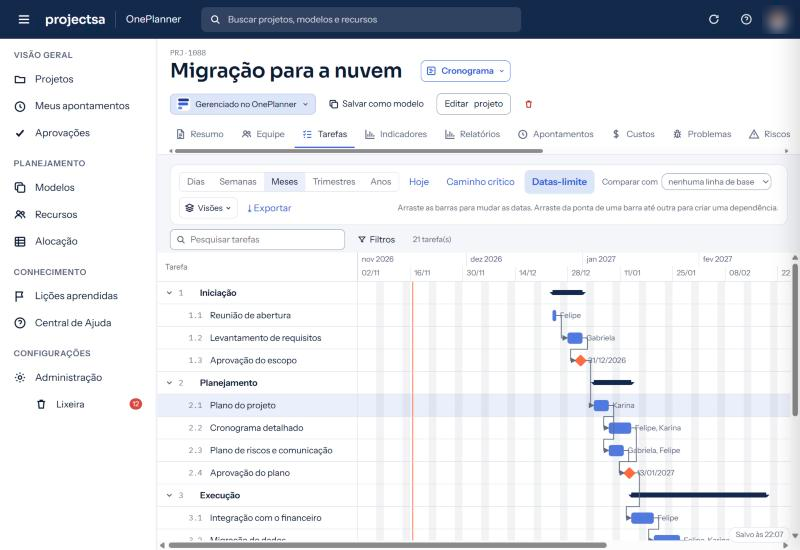
In OnePlanner, projects are organized into programs and portfolios, including those planned in Microsoft Project and Planner Premium. Leadership starts from the portfolio, with budget, average health and number of projects, and drills down to the project in a few clicks. For programs with dependencies between projects, master projects bring several projects together with a consolidated schedule and the dependencies between them. Corporate templates standardize how each type of project starts.
See how it works in OnePlanner: program and portfolio management.
Book a demo and see your projects organized into programs and portfolios in OnePlanner.
Frequently asked questions
Can a project be in more than one portfolio?
It depends on the company's rules. The most common approach is for each project to belong to one portfolio, so the budget is not counted twice.
Does a program need its own manager?
It is recommended. Someone needs to answer for the dependencies and for the benefit of the whole, which no single project manager can see.
What are master projects?
They are projects that bring other projects together in a consolidated schedule, with dependencies between them, without copying tasks.


