
Portfolio
Project, Planner and Jira in the same portfolio: how to consolidate projects from different tools

In almost every company, engineering plans in Microsoft Project, business areas use Planner and the technology team works in Jira or Azure DevOps. Each choice makes sense for the people doing the work. The problem shows up in the portfolio meeting, when someone has to pull everything into a spreadsheet that is out of date the moment it is created.
Why forcing a single tool usually goes wrong
Standardizing everyone on one tool seems to solve it, but it has a cost: training, team resistance and the loss of features each team uses every day. Someone running a construction project with hundreds of tasks and dependencies needs a full schedule. Someone coordinating a marketing campaign needs a simple board. Requiring the same instrument for such different work trades one problem for another.
Consolidating without copying tasks
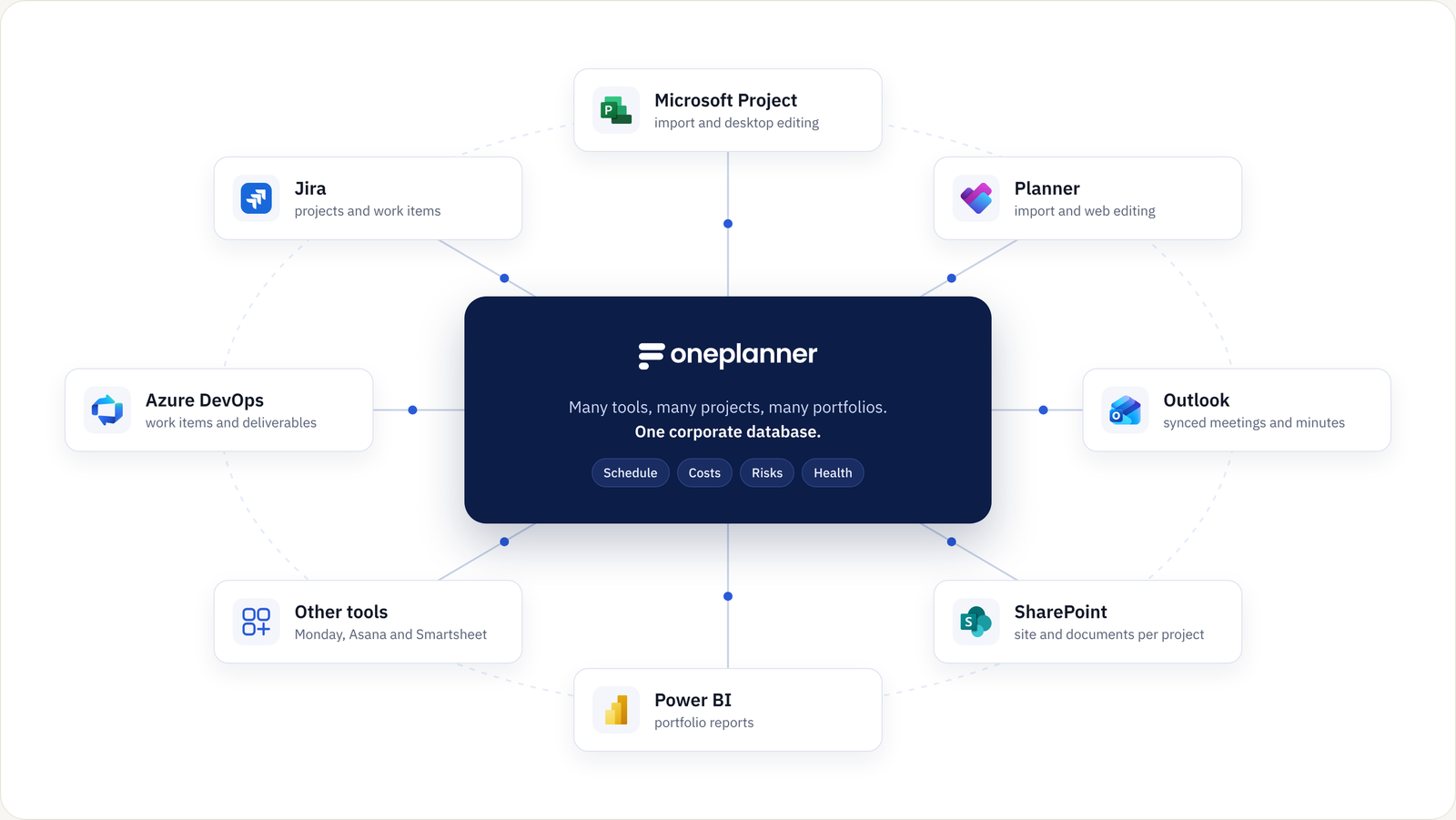
The alternative is to separate two layers: execution, where each team uses the right tool, and management, where the organization tracks everything with the same criteria. In OnePlanner, each project states where it is planned, and they all go into the same database, with the same records and the same indicators.
- Microsoft Project: Project XML import and a connector to edit on the desktop and publish back.
- Planner Premium: plans brought into OnePlanner, and the Planner plan created from the project.
- Jira and Azure DevOps: integration with projects, work items and deliverables.
- OnePlanner: a full schedule in the browser for teams that do not use another tool.
What leadership gets to see
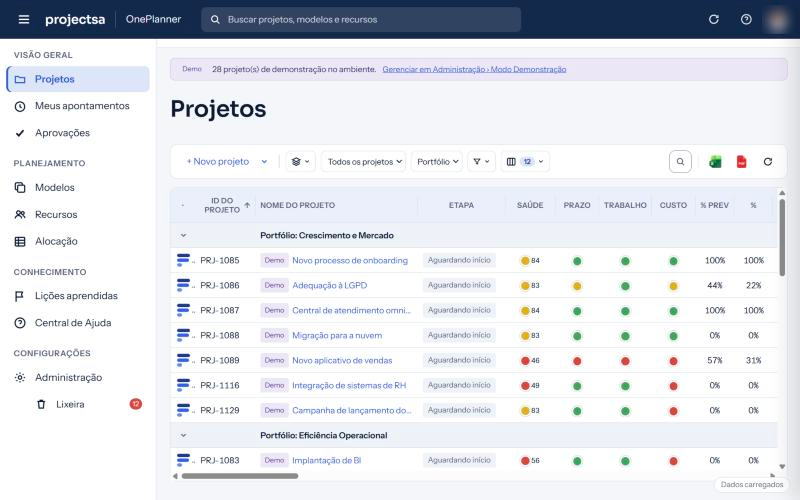
The Project Center shows health, status, schedule, work and cost for every project side by side, wherever they come from. In one click you can see only the late ones, group by portfolio, department or manager and save the view used in the meeting. Each project's health goes from 0 to 100 and follows the same rules for all, so a Jira project and a Project project can be compared fairly.
Where to start
- List the tools teams already use and how many projects are in each.
- Define the minimum record every project needs, such as owner, department, portfolio and budget.
- Choose the indicators leadership will track and agree on the ranges for each.
- Connect the tools and compare the consolidated portfolio with the current spreadsheet for a few weeks.
See how it works in OnePlanner: program and portfolio management.
See your consolidated portfolio in a demo with data similar to yours. Book a demo.
Frequently asked questions
Do teams need to switch tools?
No. Each project keeps being planned where the team already works.
Are the indicators the same for every project?
Yes. The 0 to 100 health score uses the same rules for projects from any source.
Can the data go to Power BI?
Yes. The data stays in your company's Dataverse and can feed the dashboards you already have.


