
Overload before delay
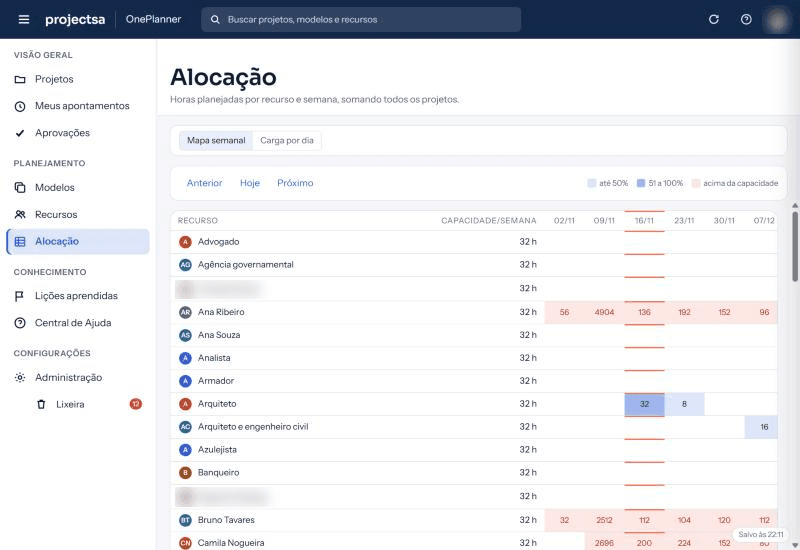
Weekly allocation adds up all projects and highlights who is over capacity.
Resources
See how much work each person and each role has, across every project in the portfolio, and find overload before it becomes a delay. Calendars, absences and daily capacity are taken into account.
Benefits
Weekly allocation adds up all projects and highlights who is over capacity.
Company and personal calendars, holidays, absences and daily capacity go into the calculation.
Generic resources by role let you plan the project before knowing who will do the work.
Rate tables with effective dates, overtime and cost per use feed the project's planned cost.
Allocation
Weekly allocation shows each resource on a heat map, adding up hours from every project in the portfolio. The project team is one click away, and the manager sees where to redistribute work.
Resource records
Frequently asked questions
It adds up the resource assignments recorded in OnePlanner, including those from Microsoft Project schedules.
Yes. Capacity considers the company calendar, each person's calendar and absences.
Yes, with generic resources, which are later replaced by team members.
Blog
Schedule a demo. We show the platform with sample data similar to your company's and answer your PMO's and IT's questions.


